What's on this page?
Introduction
FHP, or to give it its full name ‘File Handling Platform’, is a product used to manage and validate data assets. In its simplest terms FHP is the vehicle that enables the client to provide data securely to Acxiom for processing and validation with the results being securely returned to the client.
For more information visit us online www.acxiom.com
Mailing Address:
Acxiom Ltd
17 Hatfields
London
SE1 8DJ
Tel: 0207 526 5100
Registration Process
Client Users (Non Acxiom) - Please liaise with your Acxiom Sales contact or Acxiom FHP Project Administrator who will arrange for your account to be set up. When you have been set-up, you will be provided with a User Name and First-Time Start-Up Password. Please log on to FHP as soon as possible after set-up.
N.B. If you encounter any problems send an email to CSC@acxiom.com and mark for the attention of the European FHP Support Team. Please provide your contact details and as much information about your issue as possible, i.e. at what point in the process did you see the issue, include error messages and screenshots if possible.
Acxiom Users - The following process is to be used by Acxiom employees for setting up an FHP account for both Acxiom internal users and Client users.
Open a Level Zero ticket to the European Helpdesk and mark for the attention of the European FHP Support Team. Please provide as much information as possible:
In your ticket clearly stat the following:
-
A new account is to be set-up for access to FHP
-
Name of the user to be set-up and company information e.g. Acxiom Internal
-
What level of access is needed, this will depend on job roll, currently there are six to chose from:
-
Projects Supervisor
-
Projects Manager
-
Projects Developer
-
Projects Tester
-
Client Release Manager
-
Client
-
-
include an approval email from your Team Leader or Sales Team
When the user has been set-up, your ticket will be closed and you will be provided with a User Name and first time start-up Password, this user name and password must be issued to the recipient who must log on to FHP as soon as possible after set-up.
If any difficulties are encounter logging on to FHP, please direct any question via the European Helpdesk for the attention of the European FHP Support Team.
Logging On for the First Time
Please return to the FHP Welcome window.
|
|
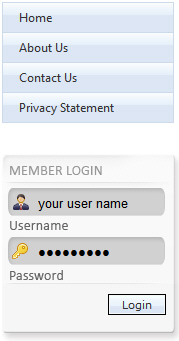
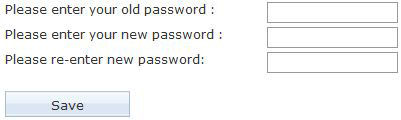
On the left hand side you will see the login fields. Fill in the user name and password; this information will be delivered to you by email. When you have successfully login on to FHP for the first time you will be prompted to change your password.Insert the 'delivered' first time password into the old password field and enter your new password in to the new password field. Re-enter the new password and click Save. When your password is successfully updated you will need to re log in to FHP as previously described. |